
Veo 3.1 Quality Video Generator
Generate cinematic, high-fidelity video clips with detailed motion and reliable visual composition.
注册即送 10 免费积分
提示词
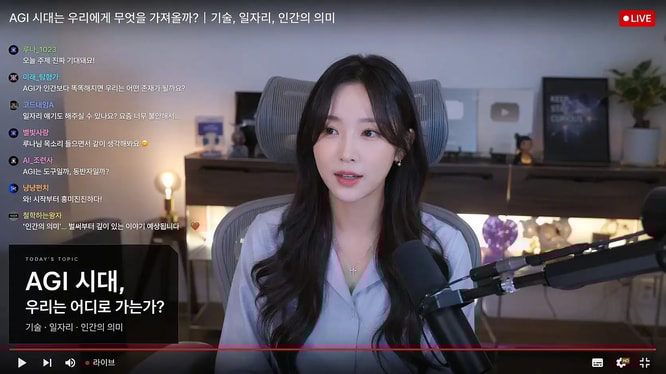
Live-stream studio screenshot featuring a female creator speaking on camera, Korean live chat overlay on the left, red LIVE badge in the corner, podcast microphone in foreground, cozy desk setup with ambient lighting, YouTube-style livestream thumbnail, realistic creator economy scene.
Why Choose Veo 3.1 Quality?
Higher-fidelity generation for polished scenes and cinematic visual work
Cinematic Text to Video
Generate detailed scenes with deliberate composition, camera direction, lighting, and motion.
High-Fidelity Image Animation
Animate source images while maintaining important subjects and visual details.
Reliable Visual Composition
Create polished shots with stronger scene structure and consistent visual intent.
Landscape and Portrait
Generate 16:9 cinematic footage or 9:16 vertical video for mobile-first publishing.
Produce Polished Video with Veo 3.1 Quality
Designed for work where visual fidelity matters more than iteration speed
Brand Films
Develop polished campaign shots and visual narratives for premium brand communication.
Cinematic Concepts
Explore camera language, atmosphere, and scene direction for film and commercial ideas.
Product Hero Shots
Animate product imagery into high-impact launch visuals and advertising footage.
Editorial Content
Create refined visual sequences for presentations, explainers, and social publishing.
How to Generate with Veo 3.1 Quality
Build a high-fidelity video in three steps
Choose text or image input
Generate a new scene from a prompt or upload an image to control the starting visual.
Direct the shot
Describe the action, camera movement, composition, lighting, pacing, and desired aesthetic.
Generate and refine
Select 16:9 or 9:16, generate the video, and adjust the prompt or image for the next version.
Veo 3.1 Quality FAQ
Common questions about Veo 3.1 Quality generation
Can Veo 3.1 Quality animate an image?
Yes. It supports both text-to-video and image-to-video generation.
Which aspect ratios are available?
Veo 3.1 Quality supports 16:9 landscape and 9:16 portrait video.
How many credits does a generation cost?
Text-to-video generations start from 30 credits; image-to-video may cost more depending on the selected mode.