
Grok Imagine Video Generator
Create dynamic videos from a prompt or bring your reference images to life with xAI Grok Imagine.
登録すると 10 無料クレジットを獲得できます
プロンプト
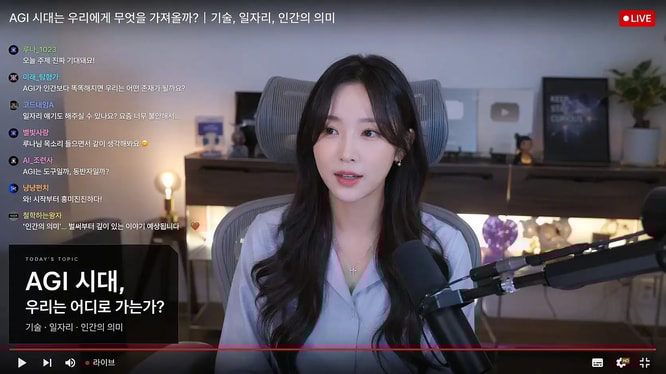
Live-stream studio screenshot featuring a female creator speaking on camera, Korean live chat overlay on the left, red LIVE badge in the corner, podcast microphone in foreground, cozy desk setup with ambient lighting, YouTube-style livestream thumbnail, realistic creator economy scene.
Why Choose Grok Imagine?
One model for fast text-to-video and image-to-video creation
Text to Video
Describe a scene, action, or visual story and generate a complete video from your prompt.
Image to Video
Upload up to seven reference images and turn still visuals into a cohesive animated clip.
Natural Motion
Grok Imagine adds expressive movement, camera direction, and dynamic scene transitions.
Flexible Output
Choose 480p or 720p resolution, multiple aspect ratios, and durations from 6 to 30 seconds.
Create More with Grok Imagine
From quick concepts to polished social content
Social Video
Create short-form clips for social feeds, stories, and campaign concepts.
Product Motion
Animate product images into engaging launch visuals and demonstrations.
Storyboards
Turn written ideas and reference frames into moving story concepts.
Creative Exploration
Iterate quickly on visual ideas before committing to a full production.
How to Generate a Grok Imagine Video
Start with words, images, or both
Choose a mode
Select Text to Video for a prompt-only generation, or Image to Video to animate references.
Describe the motion
Write the subject, action, camera movement, style, and timing you want to see.
Generate and refine
Choose resolution and duration, generate the clip, then refine the prompt for another take.
Grok Imagine FAQ
Common questions about AI video generation
Can I generate from text and images?
Yes. Grok Imagine supports both text-to-video and image-to-video in the same model experience.
How many reference images can I upload?
You can upload up to seven reference images for an image-to-video generation.
What video lengths are supported?
You can generate videos from 6 to 30 seconds, depending on the selected settings.